Notes that save themselves
Add, search, open and reorder notes from the sidebar. Type and Bastion encrypts and saves a moment after you stop. There's no Save button to forget.
Bastion is a notepad for the things you can't afford to lose or leak — passwords, recovery codes, account details, private notes. Everything is encrypted before it ever touches the disk, and only your master password opens it.
Every note is encrypted in memory and only ciphertext reaches the disk. A stolen laptop, a copied file or a leaked backup gives away nothing but noise.
No account, no sync service, no telemetry. Bastion never talks to the network. Your vault is a single file on your own machine.
An offsite recovery key and encrypted backups mean a forgotten password or a dead drive doesn't take your notes with it.
Everything a plain notepad does, with the paranoia built in, so you don't have to think about it.
Add, search, open and reorder notes from the sidebar. Type and Bastion encrypts and saves a moment after you stop. There's no Save button to forget.
Shown once when you create your vault. Print it or put it on a USB stick kept somewhere else. It's your way back in if you forget the password.
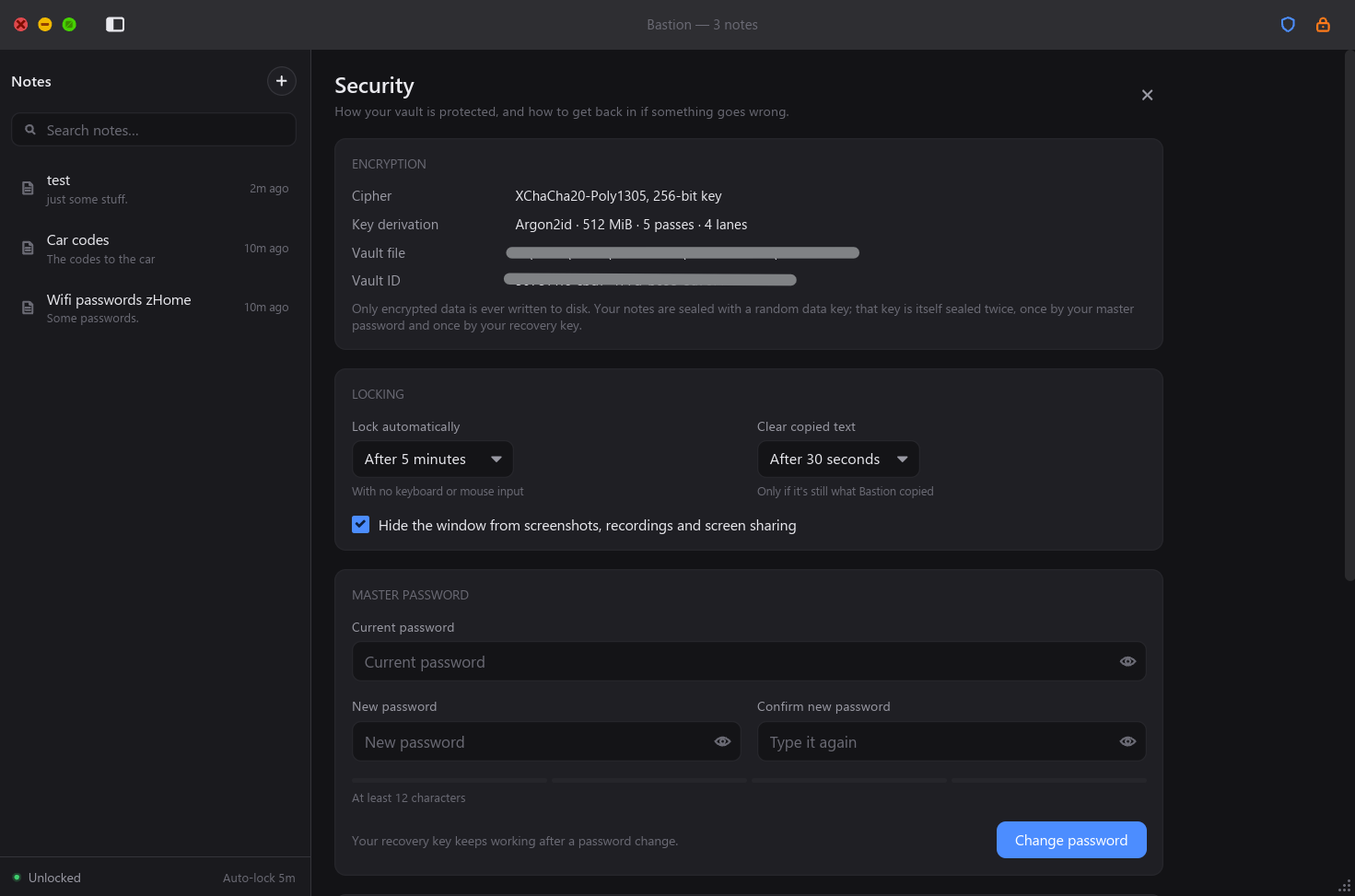
Walk away and Bastion locks after the idle time you choose, wiping keys and text from memory. Or hit the orange lock, or Ctrl+L.
Copied secrets stay out of Windows clipboard history and cloud sync, and are wiped after 30 seconds, on lock and on exit.
The window shows up blank in screenshots, screen recordings and Teams or Zoom screen shares, so a stray share never shows your notes.
Export a copy to a drive, another PC or the cloud. It stays encrypted wherever it goes and restores in one click from the lock screen.
No home-made cryptography and no vague promises. Bastion uses the same well-studied algorithms as modern password managers, and says exactly what they are.
Notes are sealed under a random 256-bit key. Change a single bit of the file and Bastion refuses to open it rather than hand back altered text.
Your master password is stretched with a memory-hard function, so every guess costs an attacker half a gigabyte of RAM. That's what stops GPU cracking.
Buffer overflows and use-after-free bugs are ruled out at compile time, and keys and text are wiped from memory when the vault locks.
What a thief would find. Illustrative file.
A strength meter guides you. Four or more random words make a password that's easy to type and hard to guess. It's never stored anywhere.
Save the recovery kit to a USB stick or print it, and keep it somewhere other than your computer. It's shown once, then it's yours to keep.
Hit + or Ctrl+N and start typing. Every change is encrypted and saved automatically.
Plain about the limits: Bastion protects your notes on disk and on screen, but no app can protect them from malware already running on your PC while the vault is open. Keep your system clean and your recovery key safe.
Encrypted, private and recoverable. A single file for Windows 10 and 11, with nothing to install.